
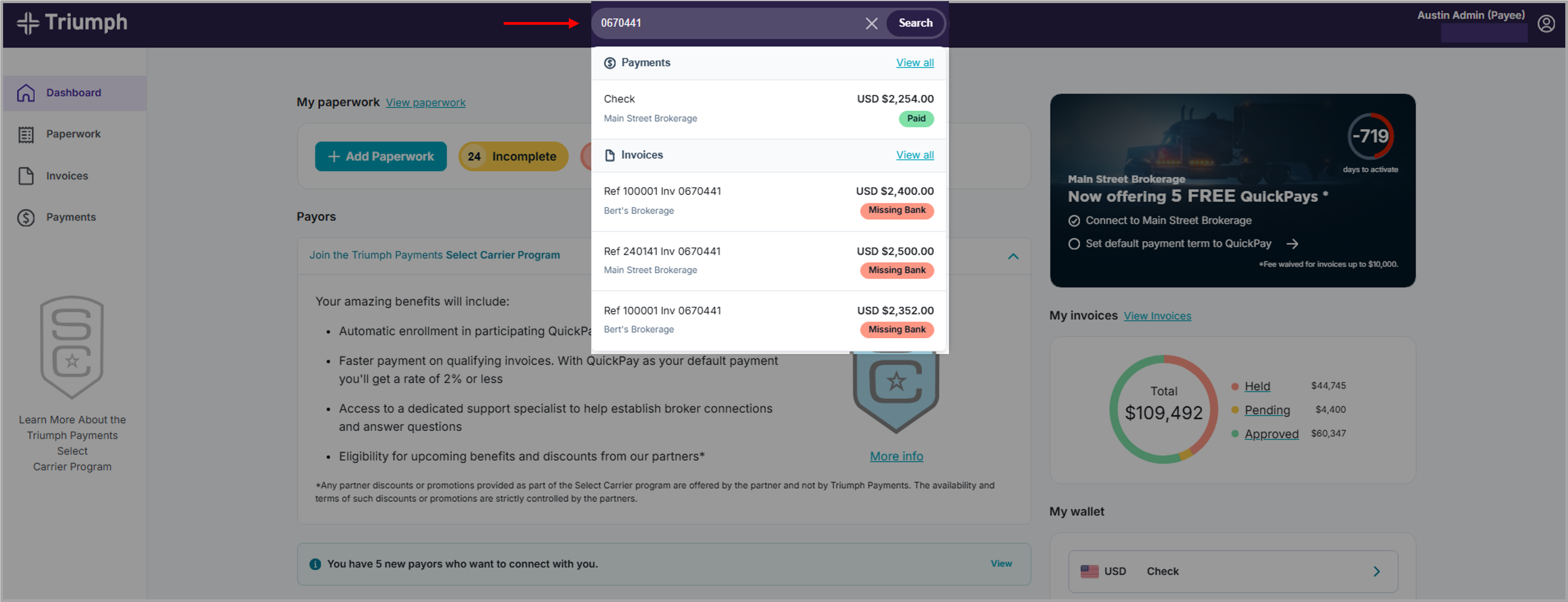
You can use the 'global' search bar in the Carrier Portal to quickly find invoices, loads, or paperwork.
Follow these steps:
- Log in to the Carrier Portal
- Locate the search bar at the top of the page
- Enter one of the following:
- Load number
- Invoice number
- Transaction ID
- Select the correct result from the list
What you can see
When you click on a result, you can view:
- Invoice information
- Payment status
- Paperwork details
Helpful tips
- Search shows results from your connected broker relationships
- You can go directly to the correct detail page
- Use search when you want to find something quickly without browsing
Need to check status instead?
→ See “How do I check my paperwork status?”